KEY FEATURES
- 4K/30fps maximum resolution
- Waterproof to 10m without a case
- Dual microphones
- GPS
- Electronic Image Stabilisation
- 2-inch touchscreen display
- RAW photography and Wide Dynamic Range
- Manufacturer: GoPro
- Review Price: £350.00
WHAT IS THE GOPRO HERO 5 BLACK?
The Hero 5 Black is the GoPro camera option for those who want the best action cam available right out of the box. You can almost think of the Hero 5 Black as GoPro’s "Greatest Hits" compilation. It takes the best features from previous generation GoPro cameras and combines them together in a single unit – and adds a smattering of new functions too.
What's the recipe for the best GoPro camera? Take the same 4K resolution, 30fps video of the
Hero 4 Black, throw in the touchscreen display that was a feature of the Hero 4 Silver (and only an optional extra for the more expensive Black), and mix in the built-in waterproof capabilities and improved audio performance of the original
Hero Session.
Top this lot off with electronic image stabilisation (finally!), useful voice controls and GPS, and you have one superb action camera – and the best one GoPro has ever released.
GOPRO HERO 5 BLACK – DESIGN AND ACCESSORIES
Putting aside the outlier Hero Session, the Hero 5 Black sees the first drastic re-design to GoPro’s main range of cameras, which is both good and bad; mainly good, however.
It retains its familiar rectangular shape, but the Hero 5 Black is now coated in a grippy, rubberised material. It’s far more rounded at the corners, too. The dimensions of the camera have changed, which could mean it might not play well with certain older accessories and mounts. The handheld gimbal I used with the Hero 4 Black, for example, can no longer hold the Hero 5 Black since frame obscures the camera's lens slightly.
WATCH: GoPro Hero 5 Black video review
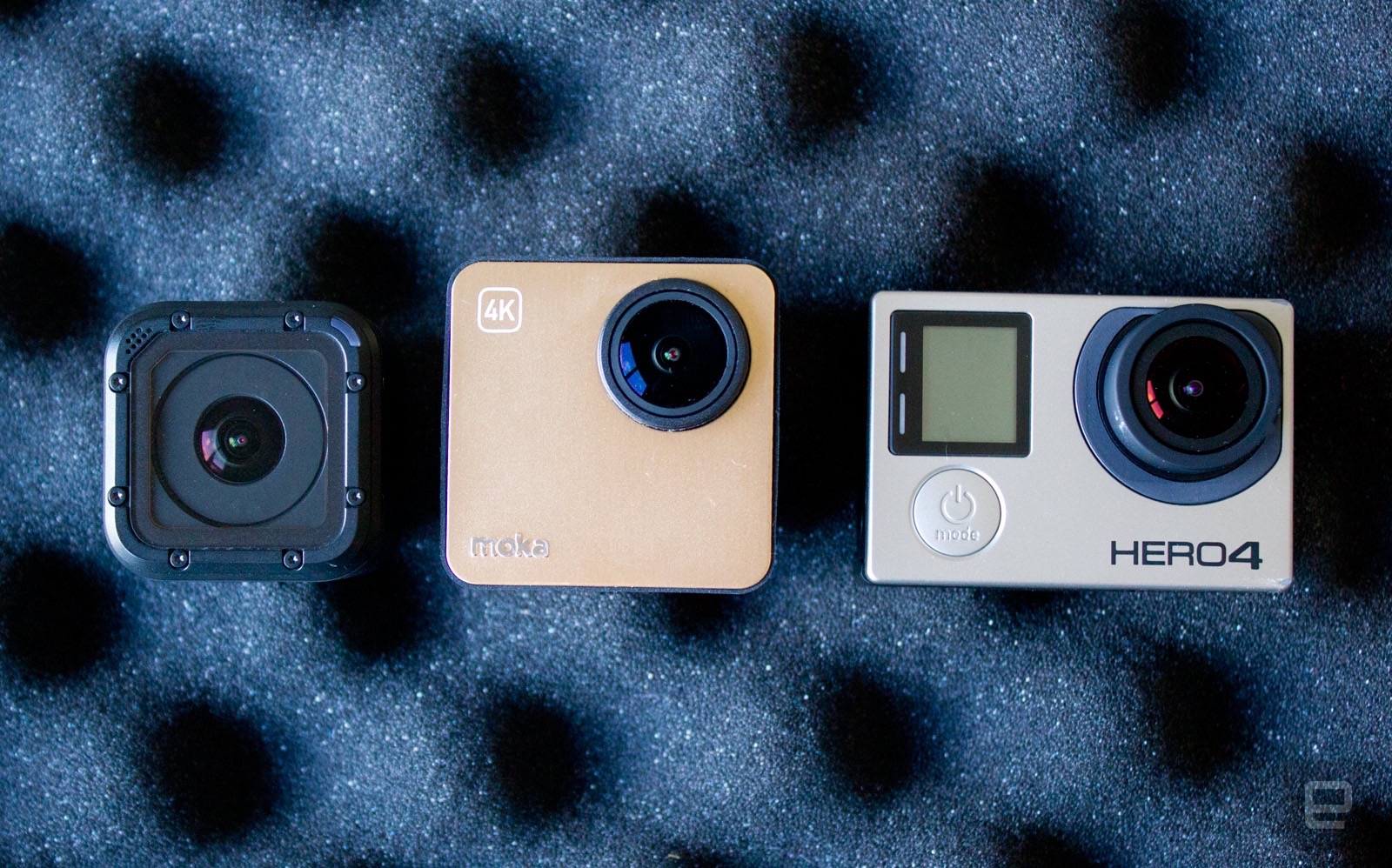
This is because the Hero 5 Black is a few millimetres bigger in all dimensions than the Hero 4 Black when outside of its waterproof case. Most noticeable is its depth, especially when you take into account its protruding lens.

The reason is understandable, though: there’s now a 2in touchscreen display on the rear. The Touch BacPac was an optional accessory for the Hero 4 Black and added to its size.
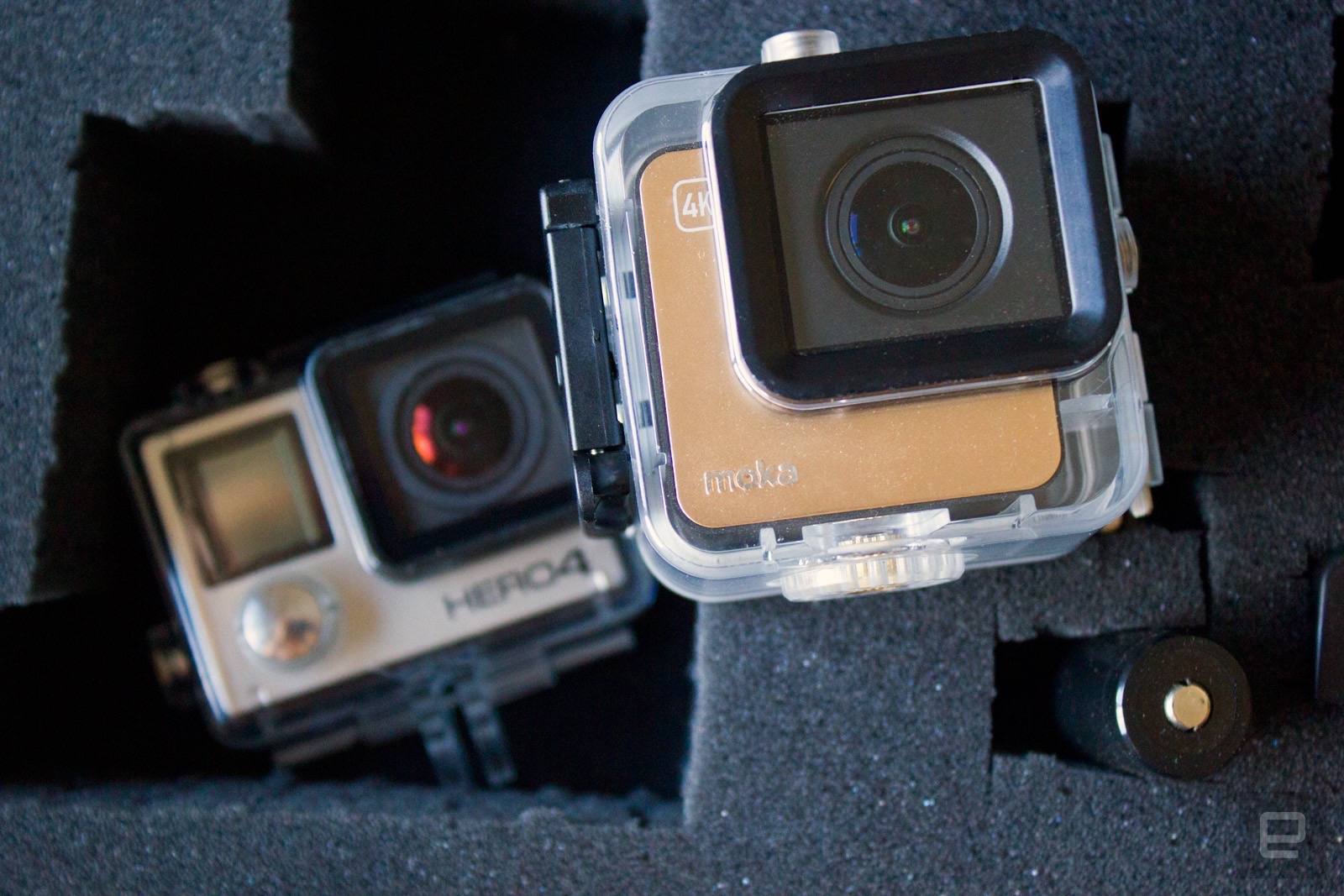
In addition, the Hero 4 Black was waterproof only in the dedicated case, whereas the new camera is waterproof without the need for any additional housing. It’s safe to take the Hero 5 Black to depths of 10m without a worry. If you want to go deeper, then there is a waterproof housing available as an optional extra.
To keep the internals of the camera free of water, GoPro has more greatly reinforced the battery, microSD and connection port covers compared to previous models to keep them sealed. A little effort is required to access the micro-HDMI and new USB Type-C charging port in particular, since you need to depress a fiddly release button on the side to open the catch before sliding it open.

And yes, you read that right. Having waited this long for GoPro to finally embrace micro-USB ports in place of mini-USB, the company has now moved onto USB Type-C instead. Don’t get me wrong, this is a good move – especially if you have a newer smartphone featuring USB Type-C – but it just tickles me that it happened so rapidly after an initial long wait.
Removing the need for the waterproof case in most shooting scenarios is a big deal. Not only is it more convenient, and makes for a smaller camera, but the audio-capture performance is much improved now that the microphones aren’t encased.
Like the Hero Session, the Hero 5 Black features dual microphones, front and back, which the camera can swap between for the best performance – especially in windy situations. If you’re on a bike, for example, the camera can intelligently swap to the rear microphone for less wind noise.
As a bonus, the Hero 5 Black weighs about 30g less than the Hero 4 Black in its case, which will make it slightly less noticeable if you have it attached to a helmet or on your body.
Instead of having to use the waterproof case from older cameras for mounting, the Hero 5 Black now comes with a plastic frame that wraps around the edge, with the standard GoPro mount on its base.

Since there’s an exposed cut-out on the side of the frame, you can actually remove the USB port cover – just remember to reattach it if you intend to use the camera in water. This means you don’t have to remove the camera from the frame to charge it, or if you need to power the camera for a long period – for a lengthy time-lapse video, for instance – while keeping it mounted.
A standard adhesive mount is included in the box, but the Hero 5 will work with practically all standard GoPro mounts that aren’t based on the specific size of the Hero 4 Black – as was the case with my aforementioned gimbal.
Overall, I love the new design of the Hero 5 Black. The rubberised exterior makes it great to hold and it helps the camera when it comes to shock-proofing too. Where I never really felt comfortable using the Hero 4 Black without its protective case even when out of water, the Hero 5 Black feels solidly constructed. Not needing a waterproof case for all but the deepest depths is also a real benefit.
GOPRO HERO 5 BLACK – CONTROLS AND SCREEN
The most notable change is that the typical three-button control scheme – a mainstay of GoPro’s cameras up to this point – is now no more. On the side of the camera you'll find a button for power and jumping between shooting modes, and there's a shutter button on the top. The small LCD panel remains on the front and, if you do want to change settings while viewing the camera from the front, you can dive into the familiar menu by holding down both buttons together.
The 2-inch display is of a decent size but an even larger one would have been welcome, by way of removing the thick bezel around the current display. The display is nice and bright for viewing outdoors.
The menu system has been completely revamped and is more intuitive than the older, touch-based control systems of past GoPro cameras. It draws from the kind of experience that is familiar from a smartphone, with swipes in from the sides to bring in menus and options.
For example, dragging down from the top provides access to the connection settings for pairing the camera with a smartphone or Bluetooth remote control, as well as giving access to the camera preferences. You can also lock the touchscreen from here, which you’ll need to do when entering the water as it can otherwise cause accidental interactions.

Swiping from the left of the shooting screen takes you to the gallery, where you can see all of your captured media in a grid. Tap on one to view it full-screen, or swipe left and right in a film strip. Again, all very familiar and intuitive. A swipe down at any point will take you straight back to the shooting screen.
Swipe in from the right of the shooting screen and you'll gain quick access to context-sensitive settings, such as ProTune, video stabilisation and low-light modes. GoPro told me that its decision to make accessing the ProTune mode easier is so that users would be more likely to experiment with its settings. These offer advanced video controls such as adjusting the colour, white balance and ISO, and is a mode that many professional videographers use.

The touchscreen makes it easy to change the shooting mode, from video to capturing stills, and to change the settings for each mode – such as the resolution or frame rate. The menus on the Hero 5 Black will become familiar within a few short minutes, being far more intuitive than having to navigate the settings on the old Hero 4 Black using the small LCD panel and three-button control system.
The only complaint I have is that actions can feel a little slow to react, and the touch detection isn’t as responsive as I'd like. On occasion this delay can contribute to a feel that the touch hasn't registered, so in prodding again you can end up changing a setting that wasn't your intention. The camera’s underlying operating system isn’t the swiftest in that regard. Hopefully, this will be improved with future software updates. It's also a little tricky swiping in from the edge especially when the camera is in its frame mount.

Then of course there’s the new-fangled voice controls. The Hero 5 Black is positively multilingual, understanding commands in seven languages. You can say "GoPro start recording" or "GoPro shoot burst" and the camera will act accordingly – that is if it can hear your command. I found it could struggle in louder environments, or I’d need to really raise my voice when outdoors. GoPro is releasing an optional voice-enabled remote control that will help in these scenarios, but I do wish the microphones were more sensitive.
The front LCD displays the mode you’re in and the resolution, battery life and the storage capacity remaining while recording in that mode. There’s a red LED above this to show when the camera is capturing, as well as another on the back.

Combined with beeps, it makes it easy to determine when the camera is shooting under most circumstances. I’d still love if GoPro would add haptic feedback to its cameras, though. I’ve tested cameras that vibrate when they begin recording, and this is great when the camera is mounted out of sight, such as on a helmet, and it’s too noisy to hear a beep.
The one-button capture control makes a return, so you can press the shutter button when the camera is turned off to instantly turn it on and begin capturing video, or hold the button for three seconds to capture a time-lapse.
GOPRO HERO 5 BLACK – APP AND EDITING
GoPro has renamed its companion app for Android and iOS as "Capture", but it functions largely as it always has. You can pair the Hero 5 Black with your smartphone or tablet over a combination of Bluetooth and Wi-Fi. The Bluetooth connection allows the Capture to remotely power on the camera – it stays connected in a Bluetooth Low Energy mode – while controlling the camera and transferring footage happens over a direct Wi-Fi connection.

While everything works reliably, it isn't quite as quick to connect and pair as the
Yi 4K Action Camera, which was by far the most seamless experience I’ve had with an action camera.
The app is intuitive to use and you can easily select images and videos to save to your smartphone or tablet for editing or sharing. You can also grab still images from video, which is particularly great when you've shot in 4K, as the resulting stills are high resolution.
The live view is superb when you can’t use the touchscreen display on the camera, and there’s only a slight delay between what the sensor captures and what you see on your screen – although I’d say it felt a little slower than the Hero 4 Black. You can also change settings through the app.
Editing and sharing footage has always been a problem with GoPros – and all action cameras, really. We all amass lots of video and photos that we don’t necessarily know what to do with. GoPro wants to make this easier with its apps, Quik and Splice. The latter is only available on iOS. Both apps came about through acquisitions by GoPro, so editing is a big part of the company’s strategy in making capturing memories on a GoPro a tempting prospect.
The Quik app lets you import video and still images, and the app will churn out an edited video with intelligent cuts to predetermined music, including fancy transitions. You can pick different styles, filters and music to your taste.

It’s a super-quick way to knock out a shareable video, and it works really well – although the "smart" cuts aren’t always the smartest. It also means a lot of very similar videos – like when Instagram shots all used the same filters, giving all images a samey feel. Still, the app options offered by GoPro far surpass anything from other manufacturers. You can see a few example edits further down the page.
GOPRO HERO 5 BLACK – QUIK FOR DESKTOP AND GPS TELEMETRY DATA
Of course, if you're more comfortable editing your own video using whatever suite you're familiar with, then that's an option too. One reason to use GoPro's own Quik for desktop software is a new update that allows it to make use of the GPS information captured by the camera. In a similar move to rivals such as TomTom, you can now overlay telemetric data over your videos, such as speed, distance, altitude, elevation, G-force and GPS path.
This is a significant update because previously all the GPS was used for was geotagging the location of any still images captured on the GoPro. Now with actual use of the telemetric data, it not only provides an extra layer of information but also data you can analyse if you're involved in sports such as skiing or snowboarding.

The app will let you pick and choose what information you want displayed, as well as move and resize it according to your video.
GOPRO HERO 5 BLACK – VIDEO AND SOUND QUALITY
The Hero 5 Black’s sensor has the same capabilities as that on the Hero 4 Black. That means it tops out at 4K resolution capped at 30fps. Dropping down to 1080p and you can go to 120fps or down to 720p at 240fps for super-slow-motion video. This is all par for the course for GoPro’s top-end cameras.
The main addition is that previously mentioned electronic image stabilisation. This only works up to 1080p at 60fps. Anything higher, either in resolution or frames per second, and the mode is disabled. Fortunately, 1080p at 60fps and below will serve most shooting scenarios more than adequately. The EIS is something you’ll want to use for any footage that’s prone to camera shake.

It isn't without a cost, though: since the shake compensation is achieved in the software by cropping into the image to negate the camera movement, you’ll lose about 10% of the frame. Regardless, the effect was noticeable when shooting some handheld footage whilst walking at 4K, and then at 1080p with EIS enabled. The resulting footage was much smoother and less nausea-inducing with EIS engaged – although it can feel a little floaty at times.
The Hero 5 Black’s image quality is as great as that produced by the Hero 4 Black, with plenty of crisp, sharp detail. Colours are vibrant and there’s no noise when served with ample lighting. Chromatic aberration is well controlled and exposure is spot on most of the time.
Riding credit: Rupert RAD-ley, TrustedReviews
Sound quality on the Hero 5 Black supersedes that of the Hero 4 Black in its case. The microphones are able to pick up far more sound, and the wind reduction does a great job at capturing usable audio – and on the whole does much more to add to the immersion of your video.
GoPro's Quik app can make even unexciting video more compelling
Still image photography is a big part of the Hero 5 Black. More people are using GoPros as still cameras due to their waterproofing functionality and small size. In fact, the winning shot from the Wildlife Photographer of the Year awards at London’s Natural History Museum was shot on an older GoPro, which was quite the coup.

The Hero 5 Black captured plenty of detail across this tricky scene. Un-edited straight from camera.
To bolster the Hero 5 Black’s photographic capabilities, GoPro has added RAW support, so you have far more data to play with when it comes to the post-processing of your images. Then there’s a Wide Dynamic Range mode, which is essentially HDR. This will help you capture more detail across the highlights and shadows.

Shot in Wide mode

Shot in Linear mode

Low-light shots are well managed, although there's some noise as expected
You can also shoot images in a new Linear mode, which corrects the barrel distortion of the wide-angle lens. This results in more natural-looking images, which are free of the curved lines associated with wide-angle lenses. Again, colours and details are great, and you can achieve even better results if you take the time to shoot in RAW and apply a bit of processing thereafter.
GOPRO HERO 5 BLACK – BATTERY LIFE AND CHARGING
The Hero 5 Black’s battery has a fractionally larger capacity than the older version, which is helpful considering you have GPS, a touchscreen and EIS to factor in. It does also mean the battery is physically different to older GoPro batteries, so you'll be unable to reuse Hero 4 batteries, which is a shame.

Battery performance is a little better than the Hero 4 Black from my testing. I managed about 1hr 45mins of 1080p video at 30fps, where it was closer to 1hr 30mins on the Hero 4 Black. This was with the Wi-Fi connection, GPS and EIS all turned on. You should achieve longer if you start disabling functions. I managed about an hour of 4K video at 30fps, which is around the same as the Hero 4 Black.
It’s worth noting that this is when shooting one long continuous video, where the display turns off. While shooting numerous short clips, battery duration was far less.
Fortunately, you can carry a spare battery if you’re out on a longer shoot. As mentioned previously, the Hero 5 Black now uses a USB Type-C connection to charge.
SHOULD I BUY THE GOPRO HERO 5 BLACK?

By taking the best component pieces from older cameras and adding new features, the GoPro Hero 5 Black is the best camera GoPro has ever produced. It’s incredibly easy to use and the new form factor and waterproofing are fantastic additions. The electronic image stabilisation has been something I’ve been longing for for some time now, so it’s great to finally see it included, and it works really well. The image quality is best-in-class and there’s plenty to love for those taking photos alongside video.
It’s also worth commending GoPro in this post-Brexit economy for the fact that, at £350, the Hero 5 Black price is actually less than what the Hero 4 Black cost at launch. When it seems like everyone is jacking up prices, this is more than welcome.
VERDICT
( source
trustedreviews.com )